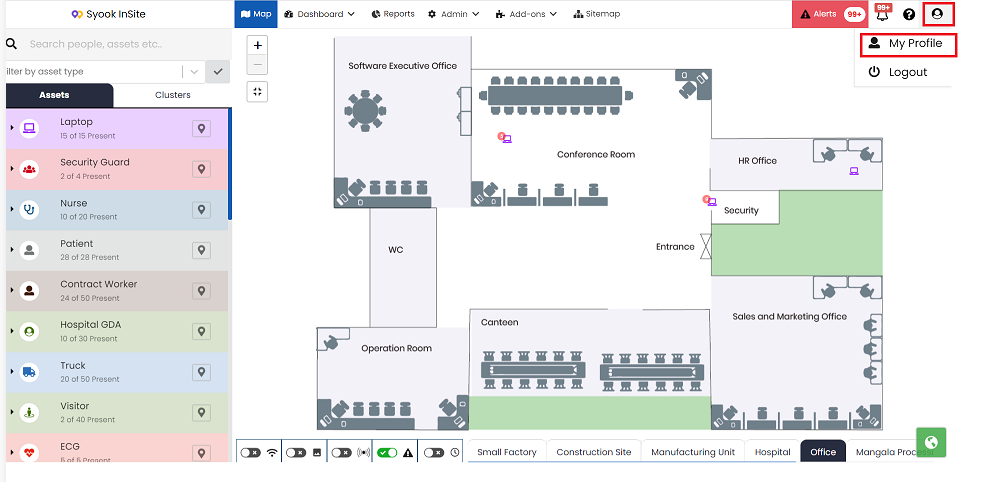
- Click on the My Profile as shown below.
- Clicking on My Profile, shows the below screen.
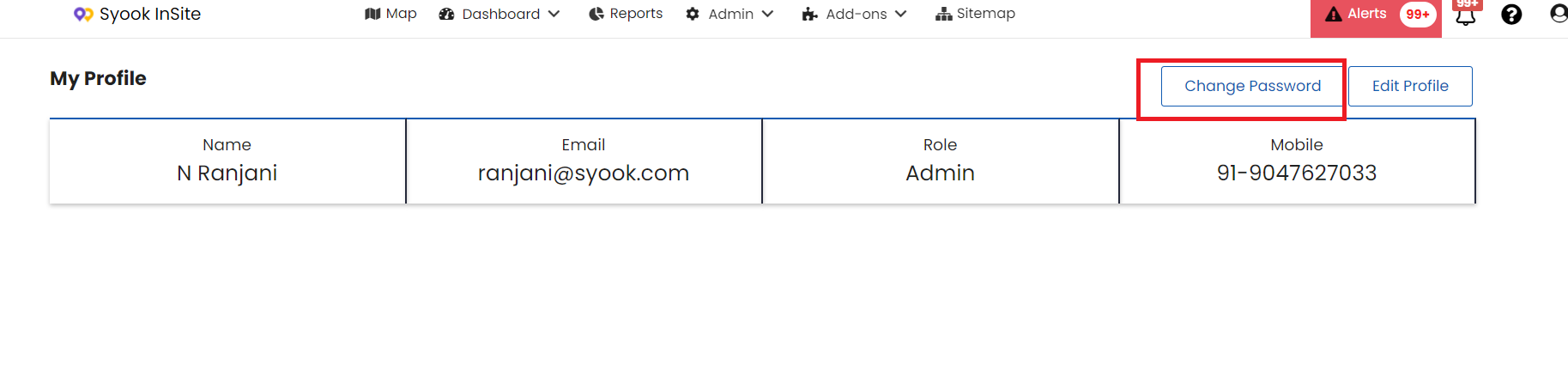
- Click on the Change Password
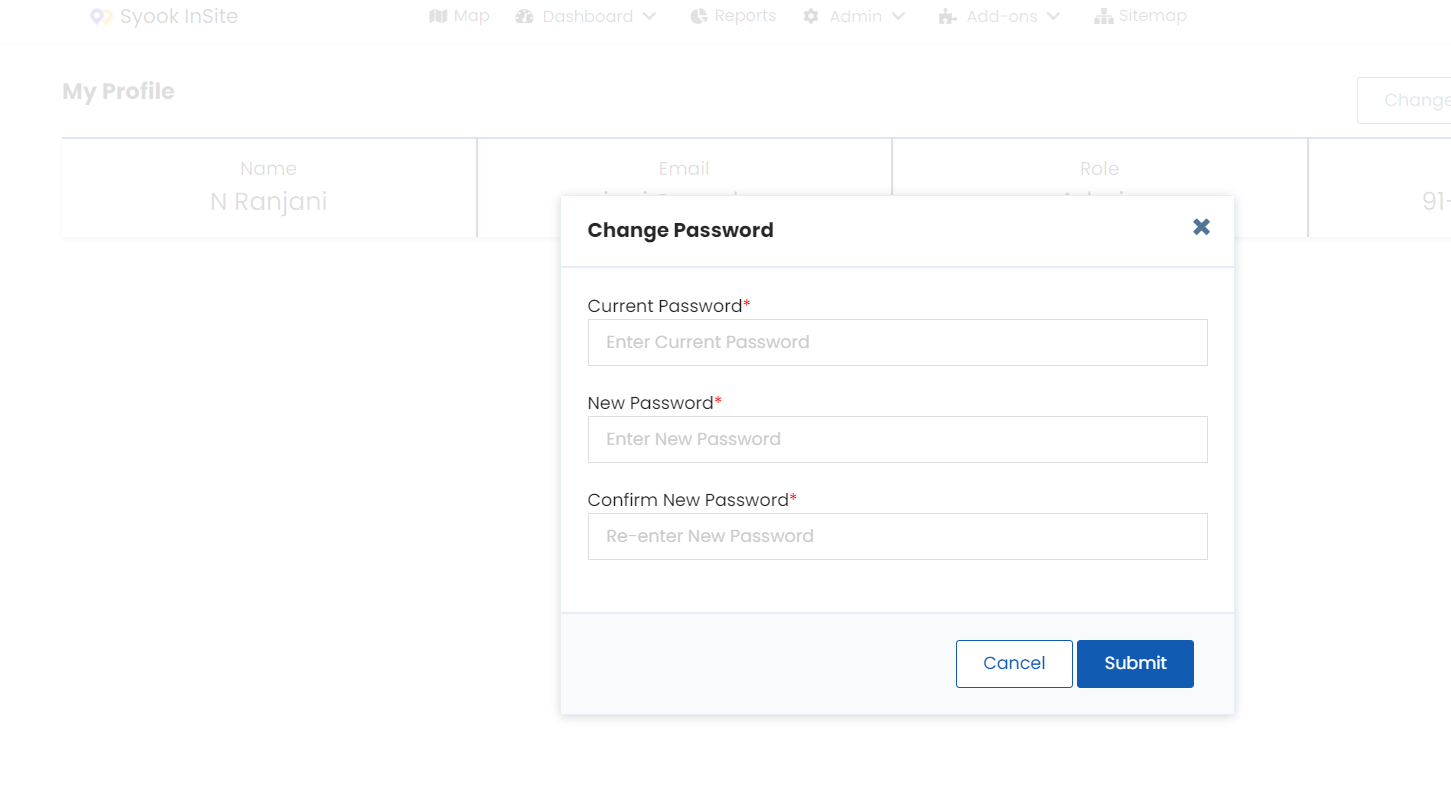
- Enter the required password and confirm it.
- Click on the Submit.

Modified on: Thu, 10 Mar, 2022 at 4:49 PM
Did you find it helpful? Yes No
Send feedback