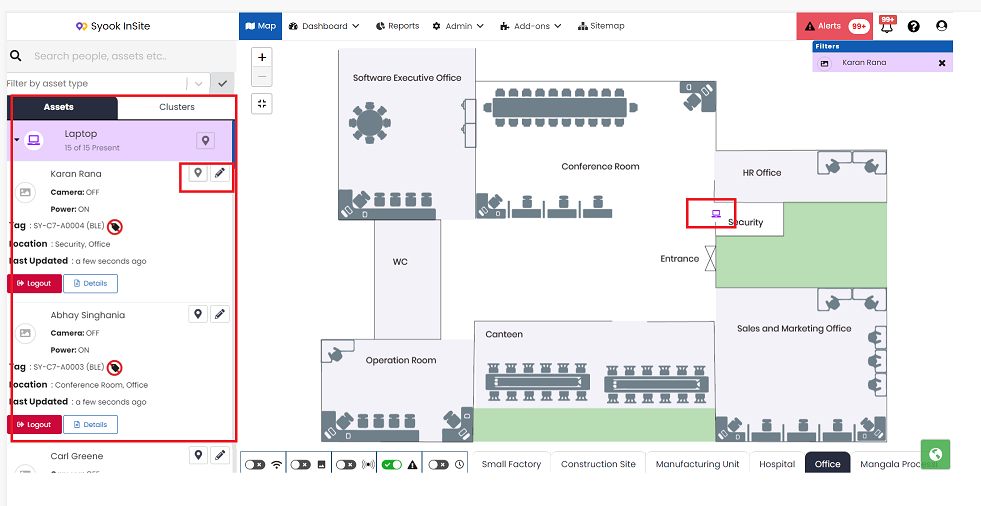
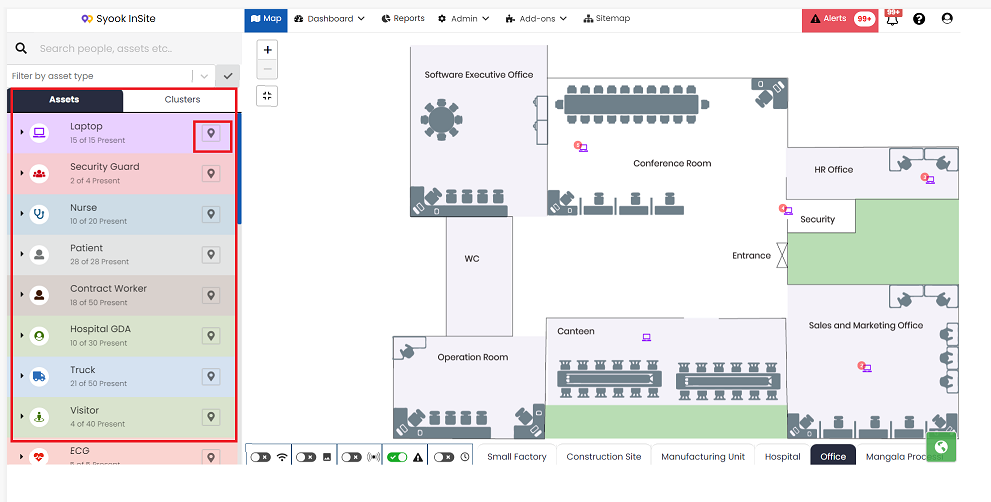
- The available Entity groups are shown in the left side of the digital map as shown below.
- Click on the location icon against each entity group. It shows the location of the entities in the digital map.
- Click on the arrow mark against each entity group to view entities of that entity group.
- The below screen shows the entities of an entity group. Click on the location icon of an entity. It shows the location of the entity.
- Click on the pencil icon to edit the entity details.