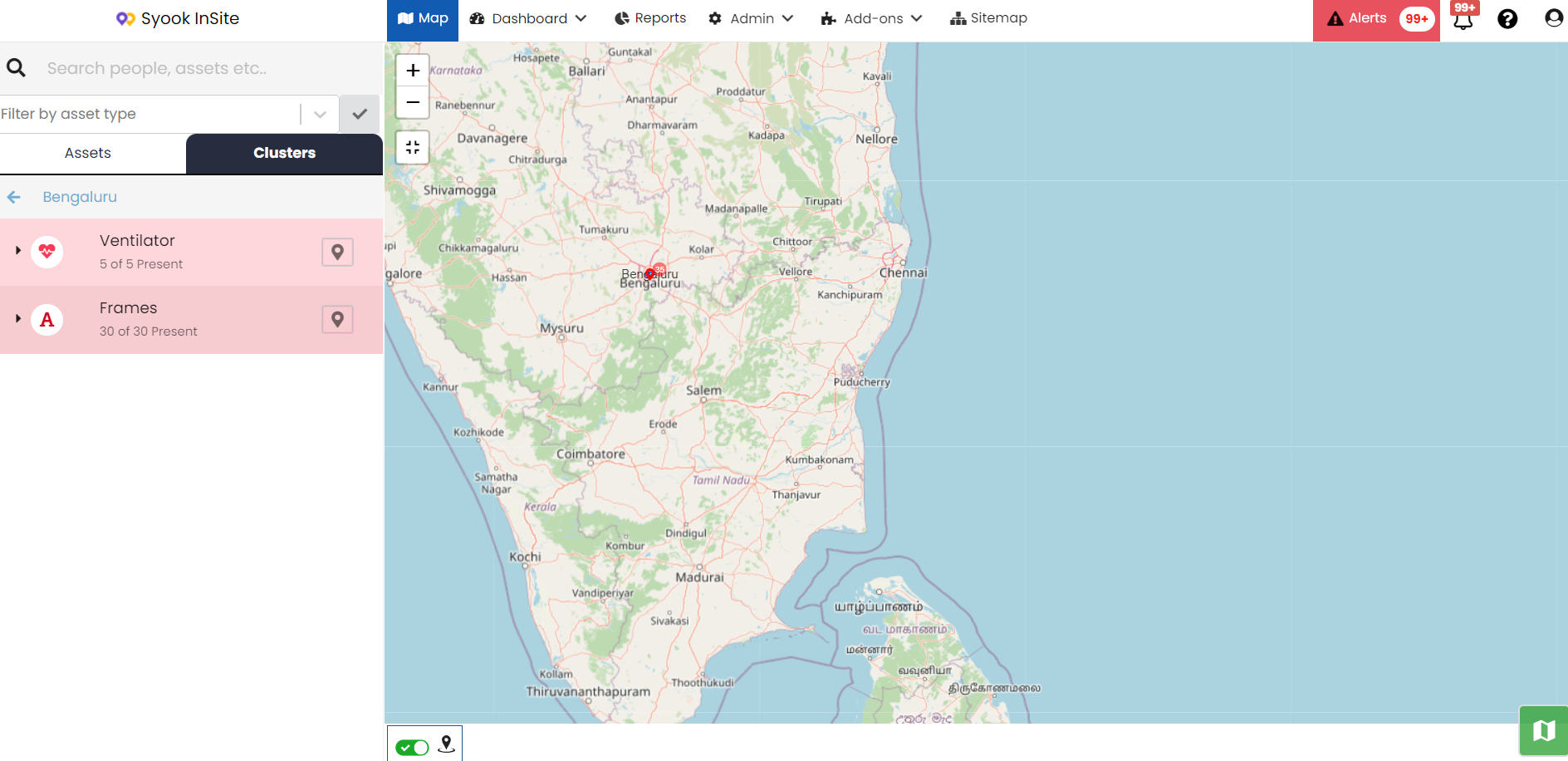
Clusters
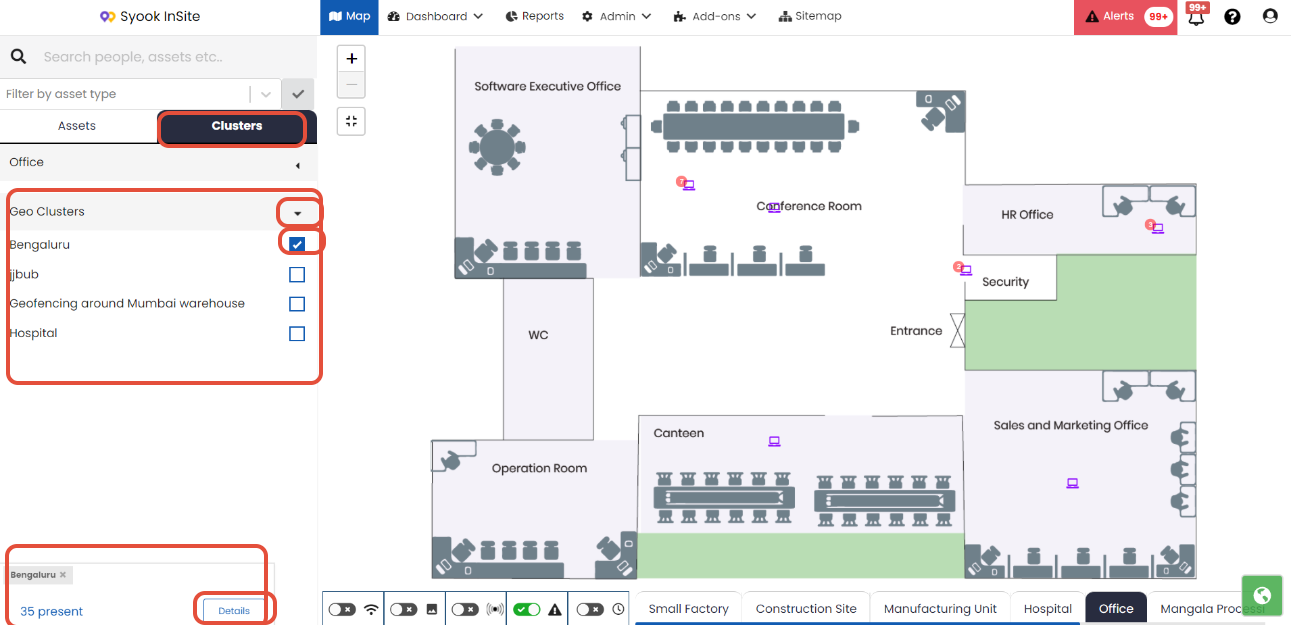
- The clusters of the selected zone will be listed here as shown in the image below.( In the image, Office zone is selected in the bottom). On the left side of the map, the selected zone is shown.
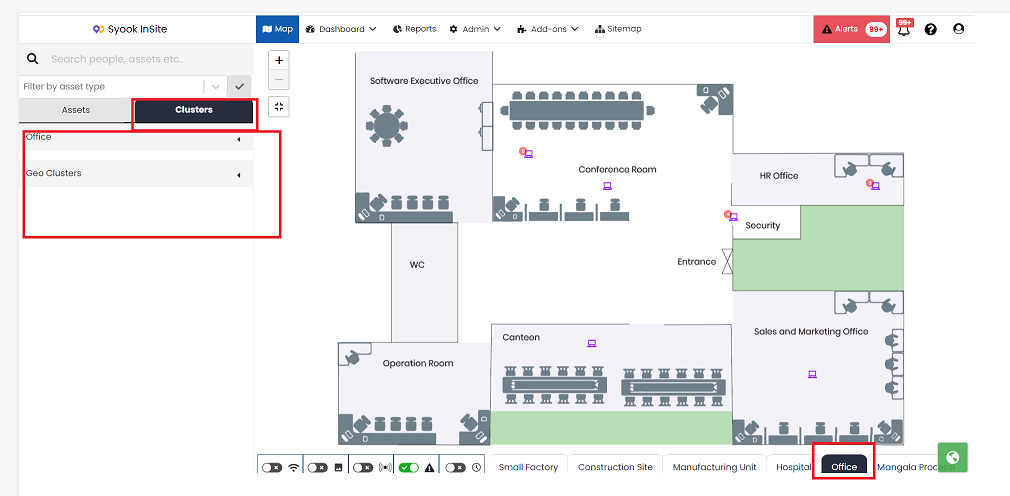
- Click on the arrow mark against the zone name, This will list the clusters of that zone as shown below.
For the selected clusters, it will show the number of assets present in those clusters.
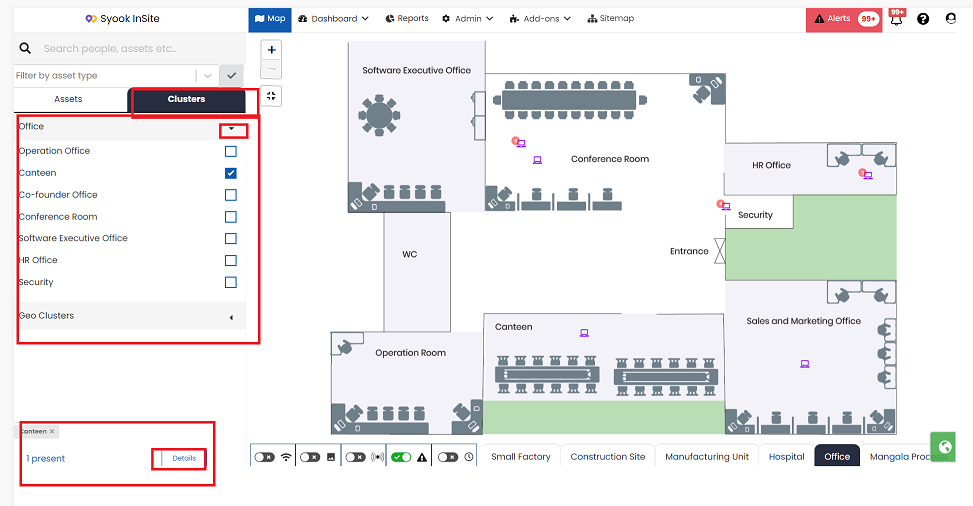
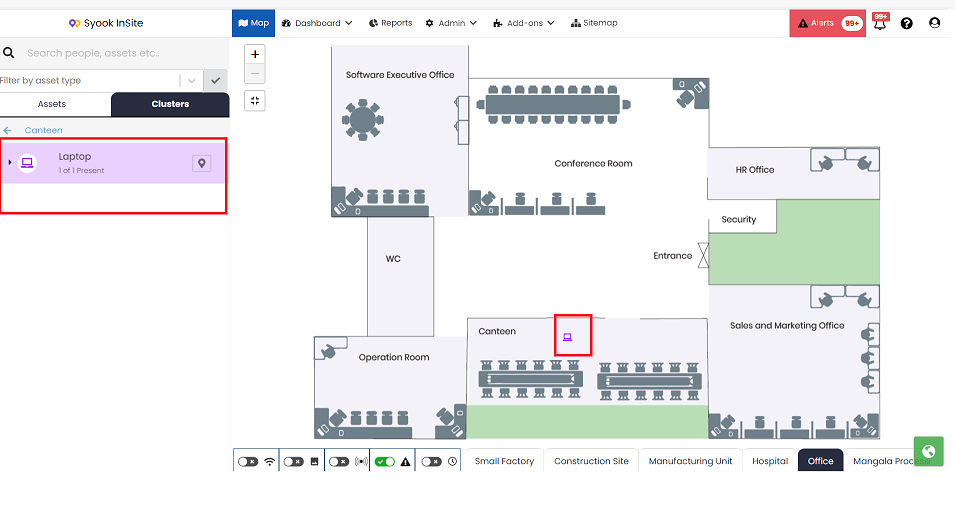
- Click on the Details button to see the asset types detected in those clusters as shown below.
Geo-Clusters
- When assets are available in the geo-clusters, selecting the required geo-cluster, it will show the number of assets present in the geo- cluster as shown in the image below.
- Click on the Details button. It shows the below screen with the asset types available in the selected geo- cluster.