
- Entities are shown on the left side of the window.
- Click on the location icon of the entity as highlighted below to view the location of the entity in the digital map
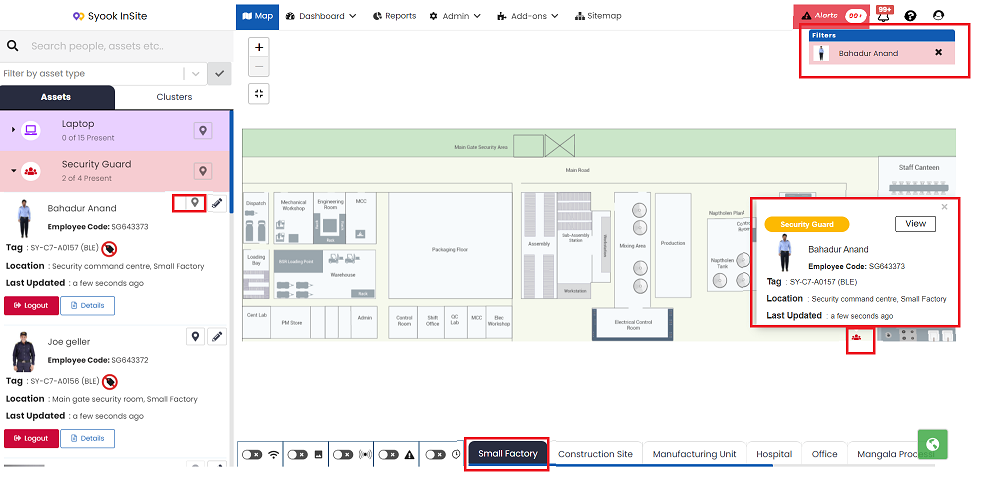
- Click on the Entity icon in the digital map.
- It shows the entity details like the tag assigned, last known location and last detected time
- Each entity will have a Details button.
- Click on the Details button to view the details of the entity like entity trends and timeline records.