Create Stat
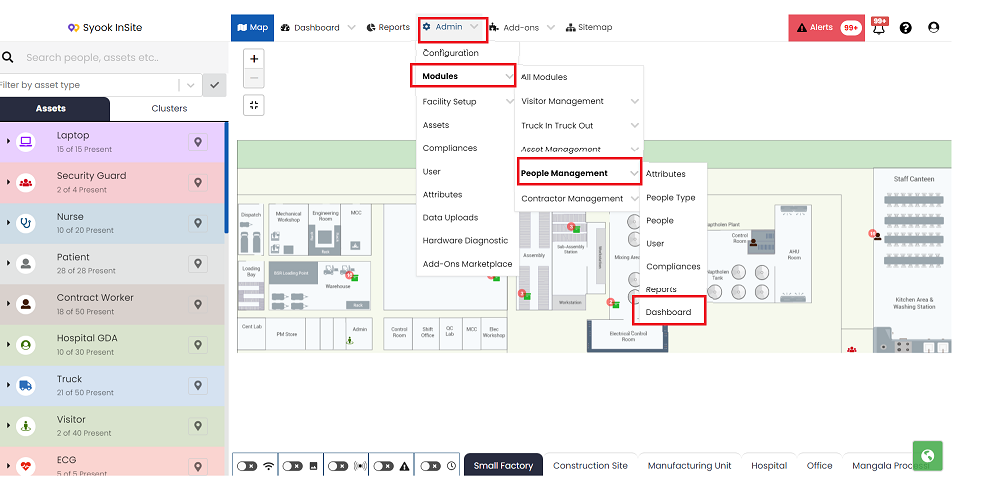
- Click on Admin -> Modules -> Required Module -> Dashboard
- The below screen will be shown.
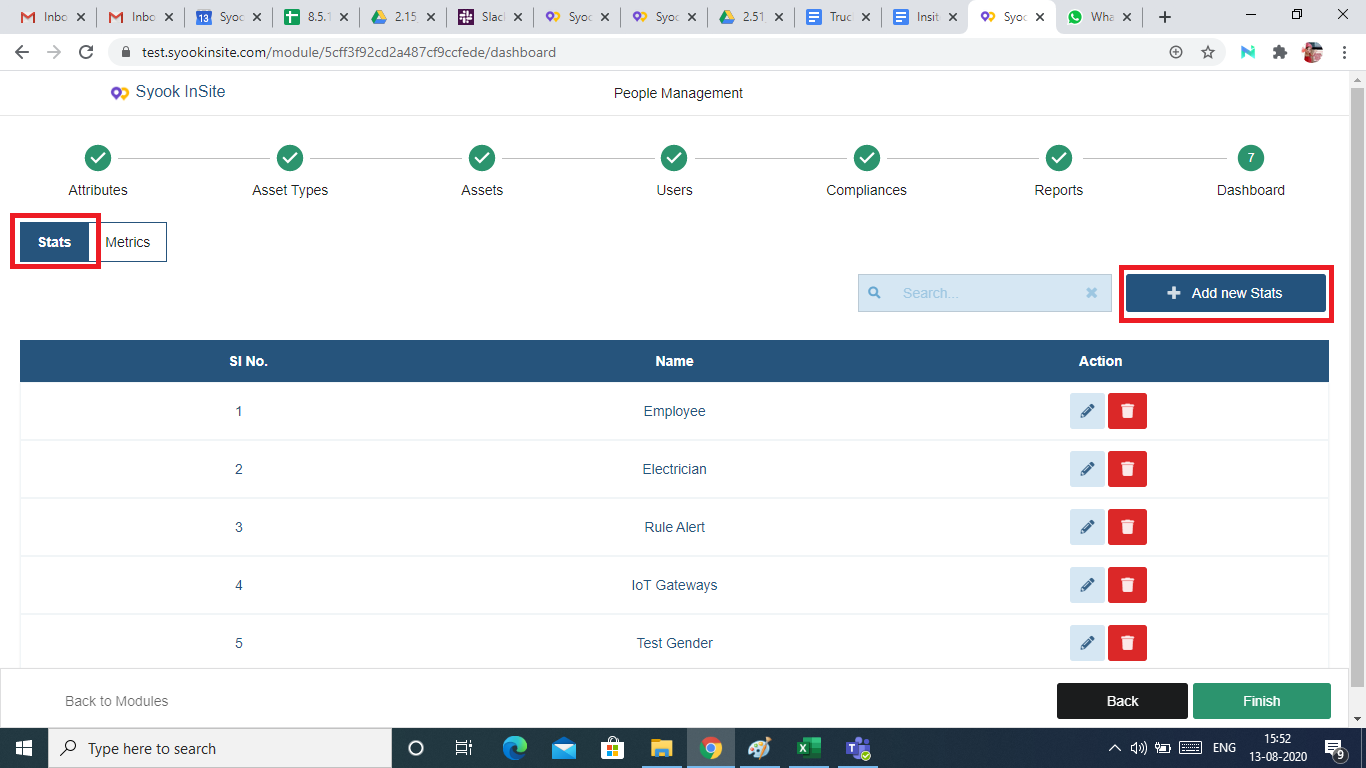
- Click on Stats and then click on Add New Stats
- Clicking on the Add New Stats, the below screen appears
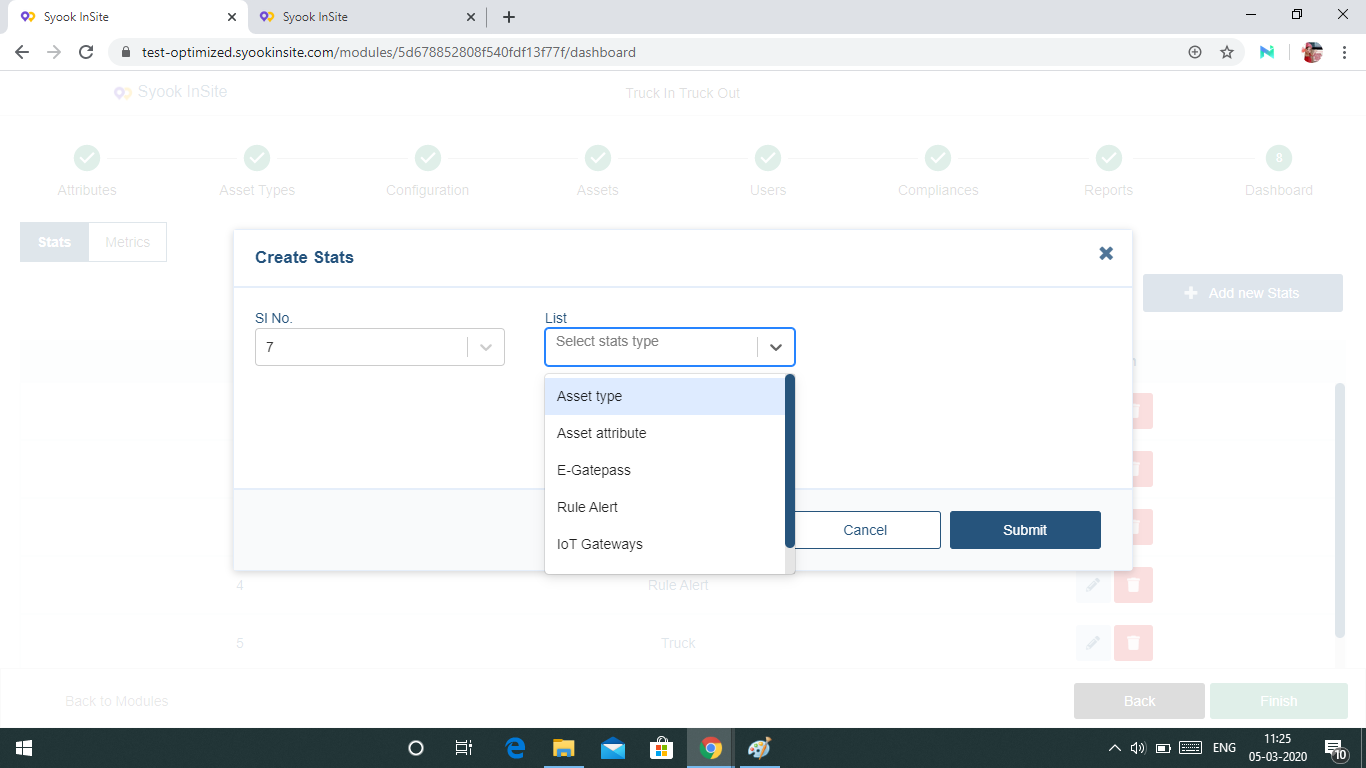
- In the drop down, the following stats and Real time stats are available.
The following stats are available.
Asset Type
Attribute
E Gate Pass
Rule Alert
IoT Gateways
System Health
The Following Real Time Stats are available.
Asset Types
Cluster
Shift In / Out Details
People In Facility
- The Real Time stats selected here, will be shown in the dashboard.
- Select the required stats to be displayed and click on submit.
- The created stats will be displayed in the dashboard.
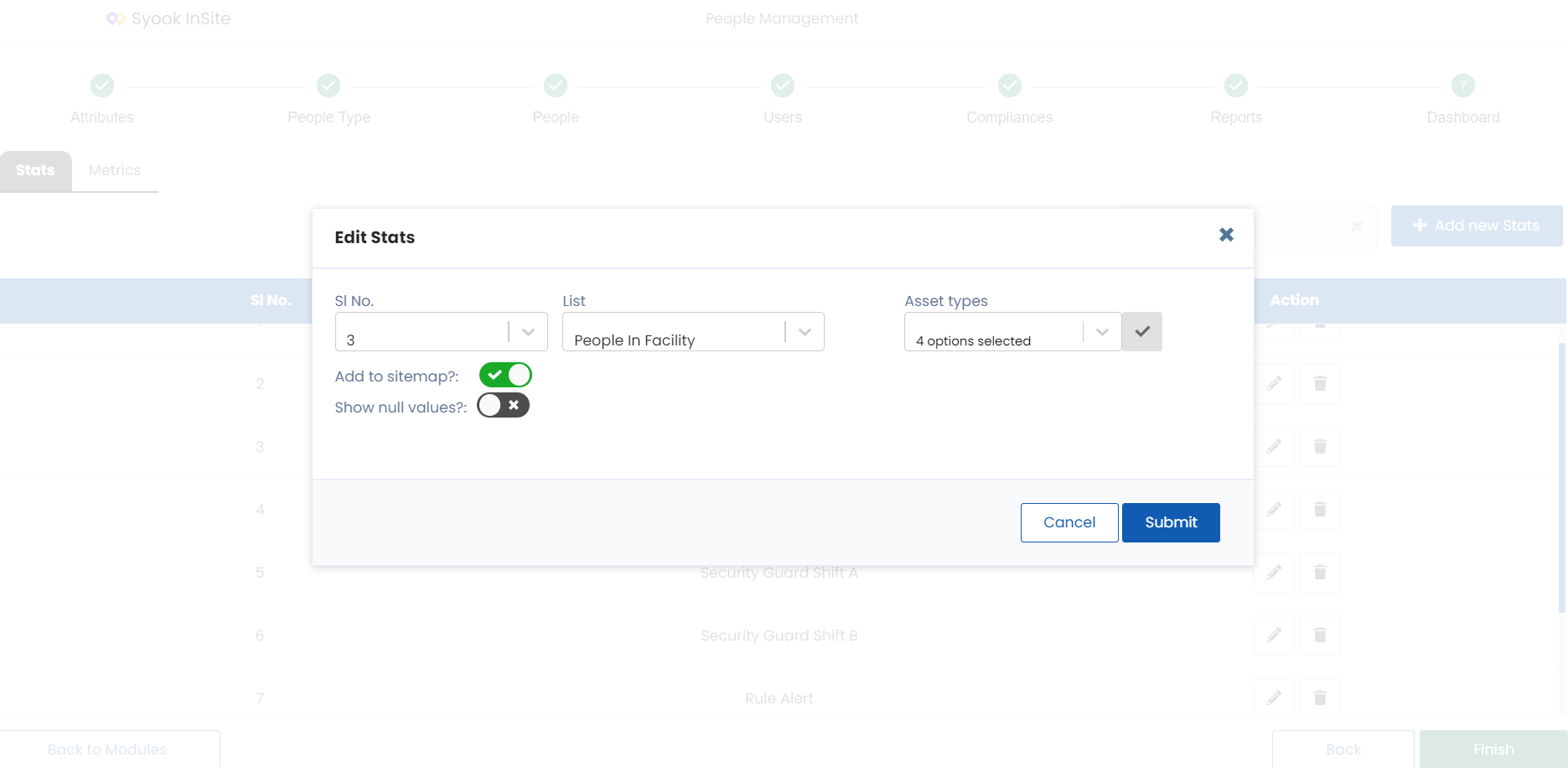
- If the stat needs to be shown in the site map, enable the ‘Add to Sitemap’ button.
- Add to Sitemap is available for
System Health
IOT Gateways
All the Real time drop downs stats
- Add to Sitemap is available for
- If stats with null value need to be shown in the site map, enable the ‘Show Null Values’ button and click on the Submit button.
- Show Null Values is shown only for the following Real Time drop downs
Asset Types
Clusters
People in Facility
- Show Null Values is shown only for the following Real Time drop downs