
Create Metrics
- Click on Metrics
- Click on Add New Metrics
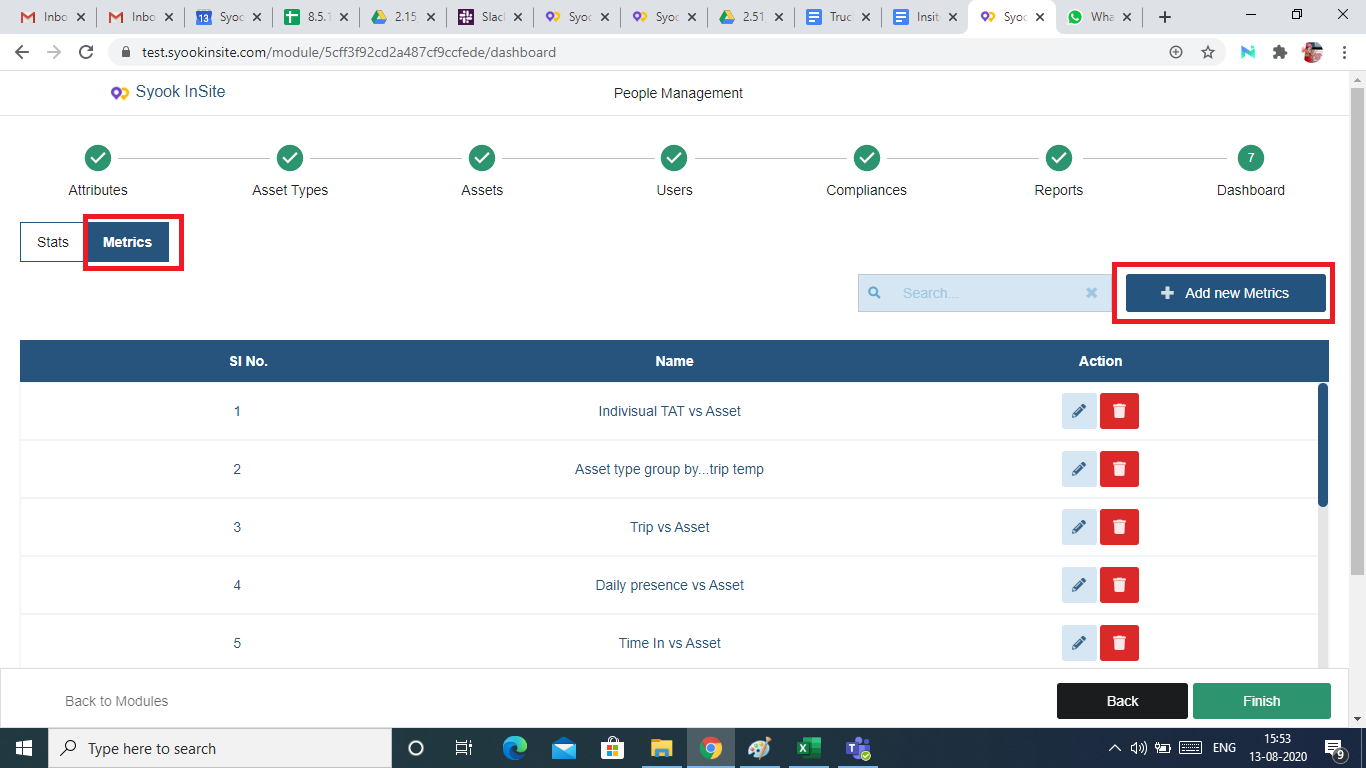
- Clicking on Add New Metrics, shows the below screen.
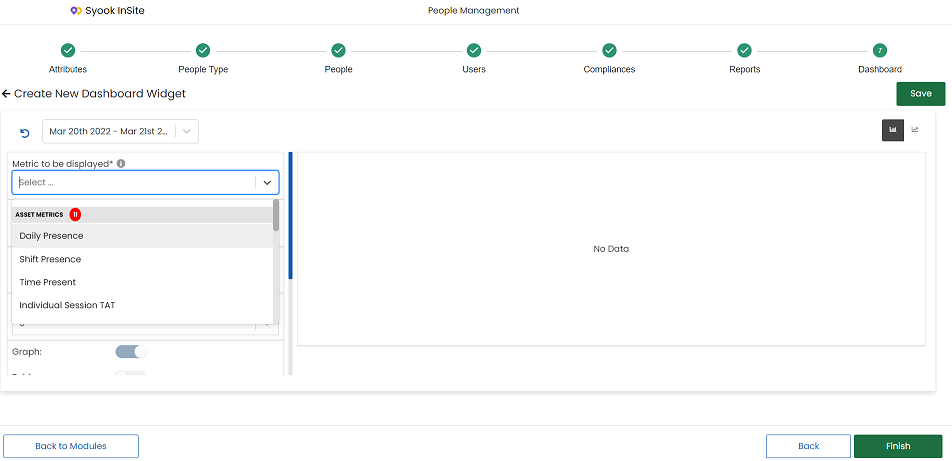
- Choose the metrics type
- Select the required dimension and enter the required details like name, sequence number, target value and group by details.
- Transform options like Sum, Count, Average are available as shown in the image below.
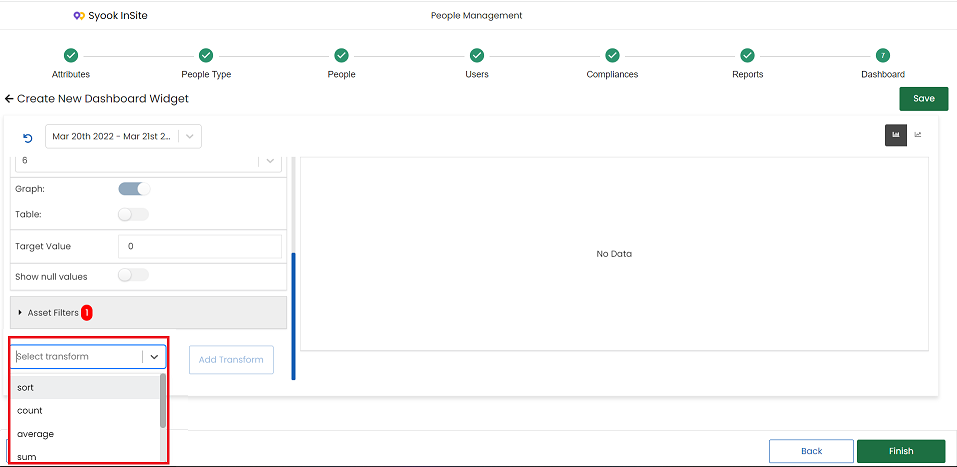
- The following transforms are available
- Sort
- Count
- Average
- Sum
- Bin
- Threshold
For more information, on how to create metrics, please refer Widgets